Quick verdict
Buy the Amazon eero 6+ if several rooms are weak and you want the simplest setup. Buy the TP-Link Deco X55 if you need Ethernet ports at desks or TVs. If only one corner is weak, a TP-Link RE315 extender is the cheaper fix.
Our verdict
- Best overall
- Amazon eero 6+ — ~$140–240 (check current)Check price on Amazon
- Best for Ethernet needs
- TP-Link Deco X55 — ~$150–200 (check current)Check price on Amazon
- Best budget alternative
- TP-Link RE315 — ~$25–40 (check current)Check price on Amazon
The mesh systems to compare
Three picks because there are three different problems here, not because three looks better than one. The heading on each says which problem it solves — if that is not your problem, skip to the next one.
Best overall. Several rooms weak, and you want to stop thinking about it.
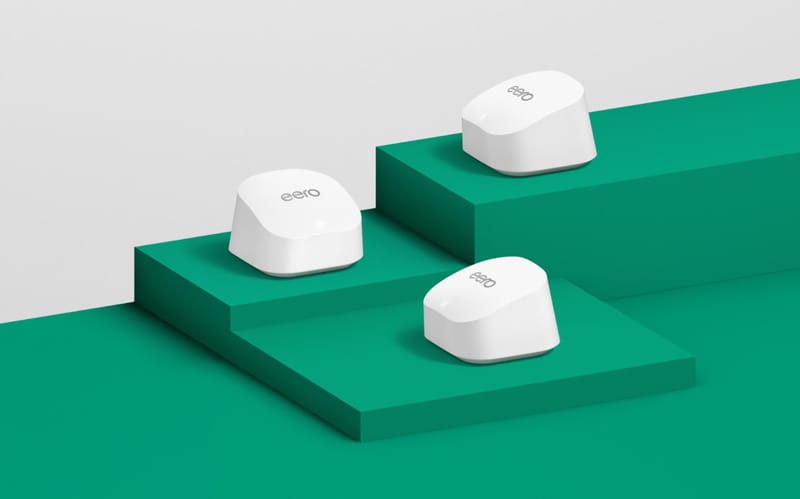
Amazon eero 6+
Simplest mesh fix for several weak rooms.
- Wi-Fi 6 dual-band, gigabit speeds
- 2-pack covers up to 3,000 sq ft
- 2 gigabit Ethernet ports per node
~$140–240 (check current)
Reasons to buy
- Two nodes cover up to 3,000 sq ft — more than most apartments need, so you are unlikely to need a third.
- Wi-Fi 6 dual-band at gigabit speeds.
- App-managed setup is the least fiddly of the three.
Reasons to skip
- Two gigabit Ethernet ports per node, the fewest here. On the main node the incoming line takes one, leaving a single free port.
- If you want wired desks or a wired TV, the Deco below is the better buy at the same kind of price.
- The priciest way to fix a single weak room. If that is the whole problem, the RE315 below does it for a fraction of the cost.
Best when you need Ethernet. A desk, console, or TV wants a cable rather than a signal.
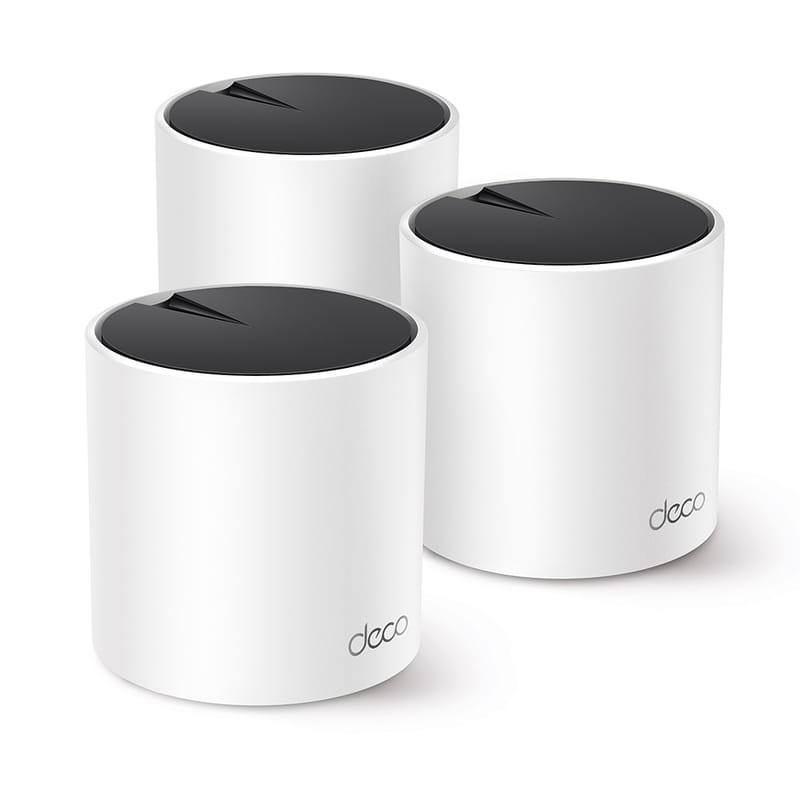
TP-Link Deco X55
Mesh pick when Ethernet ports at desks or TVs matter.
- Wi-Fi 6 AX3000 dual-band
- 3-pack covers up to 6,500 sq ft
- 3 gigabit Ethernet ports per node
~$150–200 (check current)
Reasons to buy
- Three gigabit Ethernet ports per node — the reason to pick this over the eero.
- Wi-Fi 6 AX3000 dual-band.
- The 3-pack covers up to 6,500 sq ft, so a large or awkward layout has headroom.
Reasons to skip
- That 6,500 sq ft is sold as a 3-pack. In a one-bedroom you are paying for a node you will not place.
- Three boxes means three outlets and three things to find homes for.
- No advantage over the eero unless you actually plug something in.
Budget alternative. One corner is the whole problem, and you would rather not pay mesh prices to fix it.
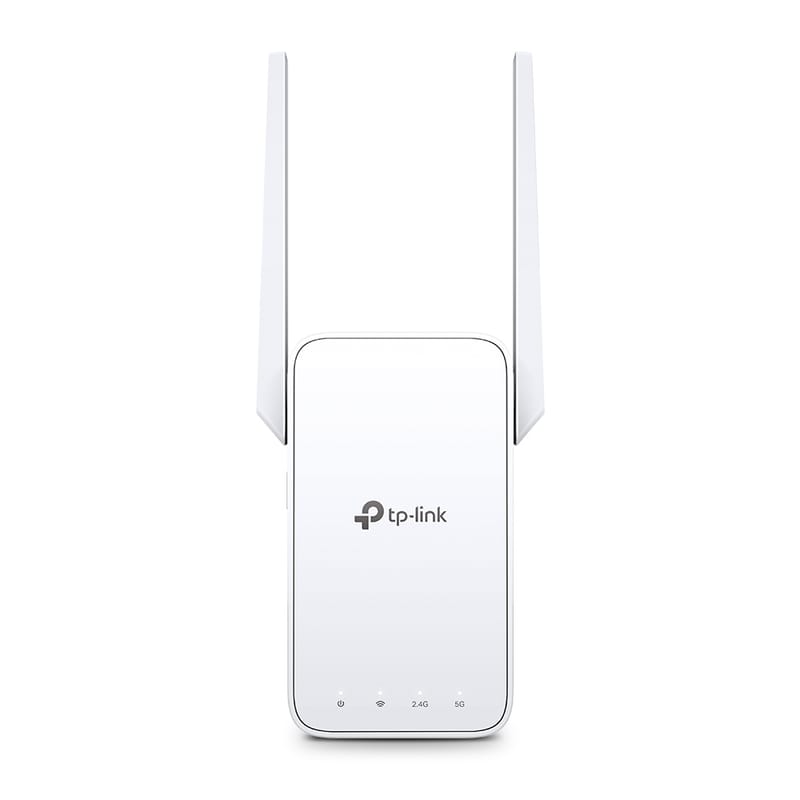
TP-Link RE315
Cheap one-room fix when a halfway outlet has signal.
- AC1200 dual-band extender
- 1 Fast Ethernet port
- OneMesh-compatible with TP-Link routers
~$25–40 (check current)
Reasons to buy
- A fraction of the price of either mesh kit.
- Fixes the common case: one weak room with a usable outlet halfway to it.
- OneMesh-compatible, so with a TP-Link router it behaves as one network rather than a second one.
Reasons to skip
- Not mesh. It extends one weak spot; it does not smooth coverage across a whole apartment.
- Its single Ethernet port is Fast Ethernet, not gigabit — fine for a printer or a TV stick, a bottleneck for a work desk.
- The OneMesh advantage needs a TP-Link router. On an ISP gateway it is a plain extender.
- Needs a halfway outlet that already has decent signal. No outlet, no fix.
One test before you spend anything: confirm the internet is stable near the router. Mesh fixes wireless coverage, not a bad line, outage, or failing gateway.
Not sure mesh is what you need? Apartment Wi-Fi Solutions sorts the five common causes — coverage, placement, provider, congestion, and latency — so you buy the thing that actually fixes your problem.
Apartment situation table
What to compare by apartment situation
| Situation | Best next step | Why it fits | Check first |
|---|---|---|---|
| Studio or small 1BR | Router placement or one strong router | Many small units do not need multiple nodes | Router is high, open, and not behind a TV or cabinet |
| One weak bedroom | Placement change or extender | A narrow weak spot may not justify full mesh | The extender can sit halfway with a good signal |
| Several weak rooms | Two-node mesh comparison | Mesh can smooth coverage across a longer layout | Near-router internet is stable and nodes can sit in open spots |
| Thick walls or long hallway | Mesh with wired backhaul if possible | Wireless backhaul can struggle through dense materials | Ethernet/coax/MoCA options and safe cable routing |
| Gaming or work desk | Ethernet before more wireless gear | A wire can beat mesh for latency-sensitive devices | Cable path is temporary, safe, and lease-friendly |
How we chose
These picks map to the three most common renter choices: simple app-managed mesh, mesh with Ethernet flexibility, and a cheaper extender for one-room problems. Every spec comes from the manufacturer pages linked below; each pick installs without drilling and moves out with you. We have not hands-on tested these units.
Mistakes that waste money
- Buying a three-pack before testing the router in the open.
- Putting a mesh node in the dead zone instead of halfway there.
- Expecting mesh to fix modem, coax, or provider problems.
- Ignoring subscription costs or Ethernet port counts.
Sources checked
- Amazon eero 6+ official page
- TP-Link Deco X55 official page
- TP-Link RE315 official page
- Xfinity Support: Internet and WiFi connection troubleshooting
FAQ
Is mesh Wi-Fi overkill for an apartment?
Sometimes. Mesh is overkill for many studios and small one-bedrooms. It makes sense when several rooms are weak after router placement fixes and near-router tests are stable.
Is eero or Deco better for apartments?
Neither is universally better. Compare app simplicity, Ethernet ports, subscription details, pack size, and where the nodes can actually sit.
Should I replace my ISP gateway?
Not until you know the gateway is the bottleneck. If the connection is bad near the router, troubleshoot the provider or gateway before buying mesh.