Quick answer
Buy mesh for several weak rooms; buy an extender for one low-stakes weak spot. The best first move is free: put the router in open air and test again. If the modem, gateway, or provider line keeps dropping, more Wi-Fi hardware just repeats an unstable connection.
Our verdict
- Best for several weak rooms
- Amazon eero 6+ — ~$140–240 (check current)Check price on Amazon
- Best for Ethernet needs
- TP-Link Deco X55 — ~$150–200 (check current)Check price on Amazon
- Best for one weak room
- TP-Link RE315 — ~$25–40 (check current)Check price on Amazon
The products to compare

Amazon eero 6+
Simplest mesh fix for several weak rooms.
- Wi-Fi 6 dual-band, gigabit speeds
- 2-pack covers up to 3,000 sq ft
- 2 gigabit Ethernet ports per node
~$140–240 (check current)
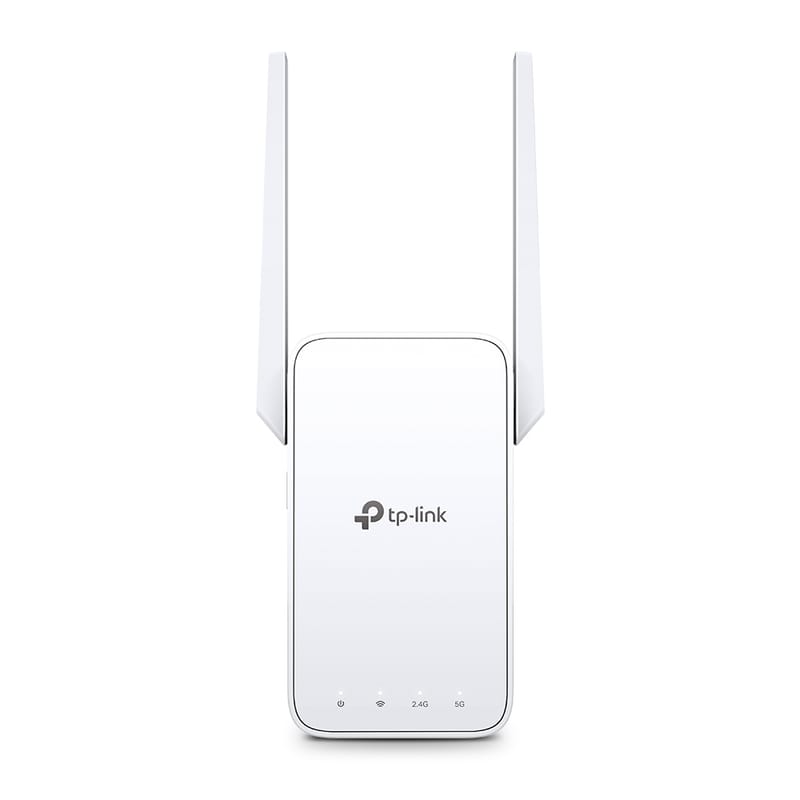
TP-Link RE315
Cheap one-room fix when a halfway outlet has signal.
- AC1200 dual-band extender
- 1 Fast Ethernet port
- OneMesh-compatible with TP-Link routers
~$25–40 (check current)
The apartment decision tree
- Test near the router or gateway.
- If it is bad there, troubleshoot the internet or gateway first.
- If it is good there but bad in one room, move the router and retest.
- If one nearby corner is weak, an extender is enough.
- If several rooms are unstable, mesh is cleaner.
- If a desk, console, or TV needs reliability, wired Ethernet beats both.
Mesh vs extender vs free fixes
| Situation | Best when | Apartment downside | Check first |
|---|---|---|---|
| Router relocation | The router is hidden, blocked, low, or in a corner | Outlet and coax/fiber location may limit placement | Cables are safe, not stretched, and not trip hazards |
| Wi-Fi extender | One small area needs basic connectivity | Can repeat a weak signal if placed badly | It can sit where it still hears the router clearly |
| Mesh Wi-Fi | Several rooms need steadier coverage | Costs more and needs good node spacing | Your gateway/router setup supports the mode you plan to use |
| Temporary Ethernet | A desk, console, or TV needs stable performance | Cable routing can look messy or create trip hazards | Flat cable routing is safe and lease-friendly |
Where extenders go wrong
An extender must sit where it still receives a solid signal from the router. Plugged into the room where Wi-Fi is already failing, it just repeats a poor connection — the usual disappointment in apartments with long hallways or thick walls.
When mesh is worth it
Mesh earns its price when the internet works near the gateway, several rooms are weak, and nodes can sit between the router and the weak areas. It is overkill for a studio where the router is hidden behind a TV cabinet — fix that first.
When wired beats wireless
For a work desk, console, or streaming box, a safe Ethernet run beats both. Keep it temporary and reversible: no stapling through walls, no trip hazards, no cable paths pets or kids can chew.
Sources checked
- NETGEAR: WiFi Extender vs Mesh WiFi
- Xfinity Support: Internet and WiFi connection troubleshooting
- Amazon eero 6+ official page
- TP-Link RE315 official page
FAQ
Is mesh always better than a Wi-Fi extender?
No. Mesh is cleaner for several-room coverage problems, but an extender is enough for one small weak area. Router placement can beat both in a small apartment.
Will mesh fix internet that keeps dropping?
Only if the drop is caused by Wi-Fi coverage. If the gateway, modem, provider line, or plan is the problem, mesh will not solve it.
Is Ethernet worth it in an apartment?
For a work desk, streaming box, or game console, yes — if the cable route is safe, temporary, and lease-friendly.