Quick verdict
A dead zone is only a coverage problem if the internet works near the router but fails in one room. For one weak room, get the TP-Link RE315; for several, the Amazon eero 6+. If it is slow near the gateway too, troubleshoot the provider first.
Our verdict
- Best for one weak room
- TP-Link RE315 — ~$25–40 (check current)Check price on Amazon
- Best for several weak rooms
- Amazon eero 6+ — ~$140–240 (check current)Check price on Amazon
The products that fix real dead zones
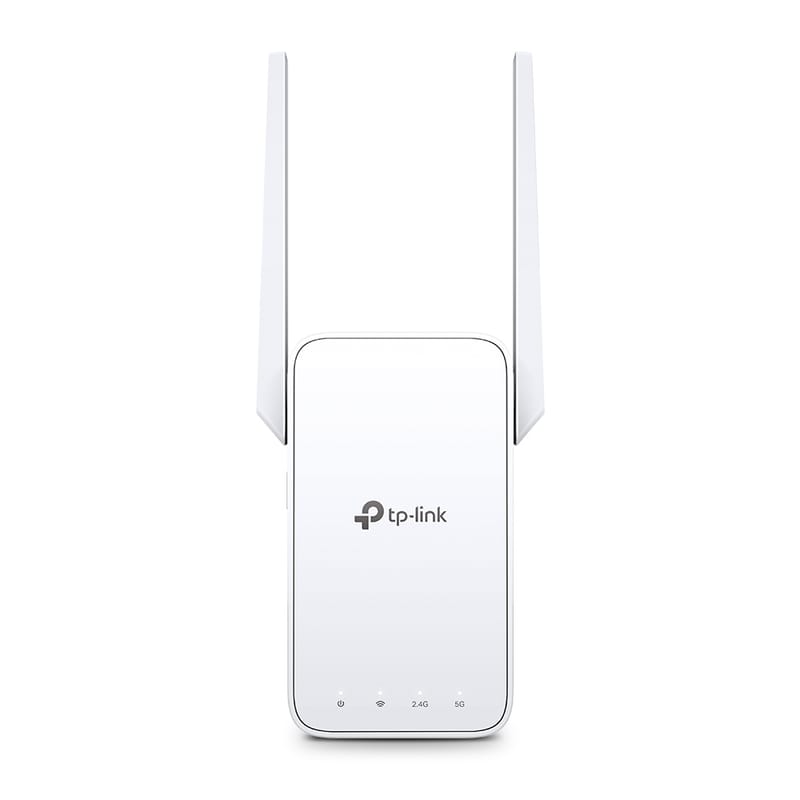
TP-Link RE315
Cheap one-room fix when a halfway outlet has signal.
- AC1200 dual-band extender
- 1 Fast Ethernet port
- OneMesh-compatible with TP-Link routers
~$25–40 (check current)
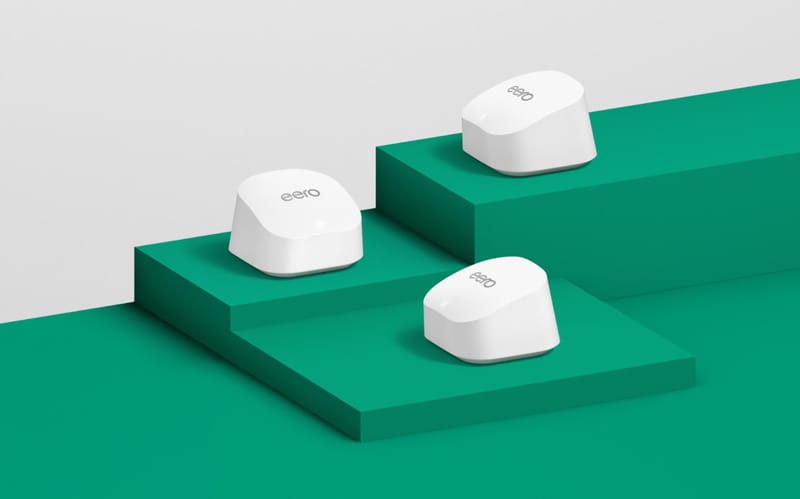
Amazon eero 6+
Simplest mesh fix for several weak rooms.
- Wi-Fi 6 dual-band, gigabit speeds
- 2-pack covers up to 3,000 sq ft
- 2 gigabit Ethernet ports per node
~$140–240 (check current)
15-minute dead-zone map
Walk the apartment and label each room good, usable, or dead zone, using the same device and the same real task each time.
Room-by-room Wi-Fi map
- Test within 6 feet of the router/gateway first and note whether the incoming internet is stable.
- Test each problem room with the door open, then closed.
- Move the router out of cabinets and off the floor, then retest.
- Note whether the issue follows one device, one room, one time of day, or every device.
Dead-zone fixes by symptom
Apartment Wi-Fi dead-zone fixes by symptom
| Situation | What it usually means | First fix | Upgrade path |
|---|---|---|---|
| Several rooms weak | Router is hidden, low, blocked, or at one end of the apartment | Put router higher and more central if possible | Mesh with nodes placed between rooms |
| One far room weak | Distance, walls, or a hallway turn is killing signal | Move router closer or test temporary Ethernet | Extender only if it can sit halfway with a good signal |
| Evenings worse | Neighbor network congestion or ISP peak-time issues | Compare near-router results and problem-room results | Better router/mesh helps Wi-Fi congestion, not provider slowdowns |
| Calls/games lag but browsing works | Latency, upload congestion, or weak signal | Try wired Ethernet or move closer for calls/games | Wired backhaul or mesh with Ethernet where possible |
| Everything drops, even near router | Gateway/modem/provider/building issue | Check gateway app, cable seating, and outage status | Do not buy Wi-Fi gear until the incoming connection is stable |
Apartment causes people miss
- Router trapped at one end: common when the active coax jack is behind the TV.
- Dense walls, mirrors, metal furniture: these block or reflect signal even in small units.
- Neighbor congestion: evenings are worse because nearby networks and ISP nodes are busier.
Sources checked
- TP-Link RE315 official page
- Amazon eero 6+ official page
- Xfinity Support: Internet and WiFi connection troubleshooting
FAQ
Should I use 2.4 GHz or 5 GHz for an apartment dead zone?
Both can be useful. 5 GHz is faster at shorter range, while 2.4 GHz reaches farther through walls. Results depend on interference, router, device, and layout, so test both if your network makes them available.
Is a Wi-Fi dead zone always the router’s fault?
No. A dead-zone symptom can come from router placement, interference, device issues, ISP drops, bad coax, or building wiring. Test near the router first.
Where should a mesh node or extender go?
Between the router and the weak room, not inside the dead zone. It needs to receive a decent signal before it can repeat or extend it.