Quick answer
Buy a smart plug first: the TP-Link Kasa KP125M automates lamps and fans without touching a bulb or a wire, and it works in fixtures a smart bulb can’t. Buy smart bulbs — the TP-Link Tapo L530E — when you want dimming, color, or lighting scenes in fixtures you control.
Our verdict
- Buy first
- TP-Link Kasa KP125M (4-pack) — ~$40–50 (check current)Check price on Amazon
- For dimming and color
- TP-Link Tapo L530E — ~$18–25 (check current)Check price on Amazon
- Cheapest multi-room plugs
- TP-Link Tapo P125M — ~$10–15 (check current)Check price on Amazon
- Premium lighting upgrade
- Philips Hue White & Color Ambiance A19 (2-pack) — ~$70–100 (check current)Check price on Amazon
The products to compare
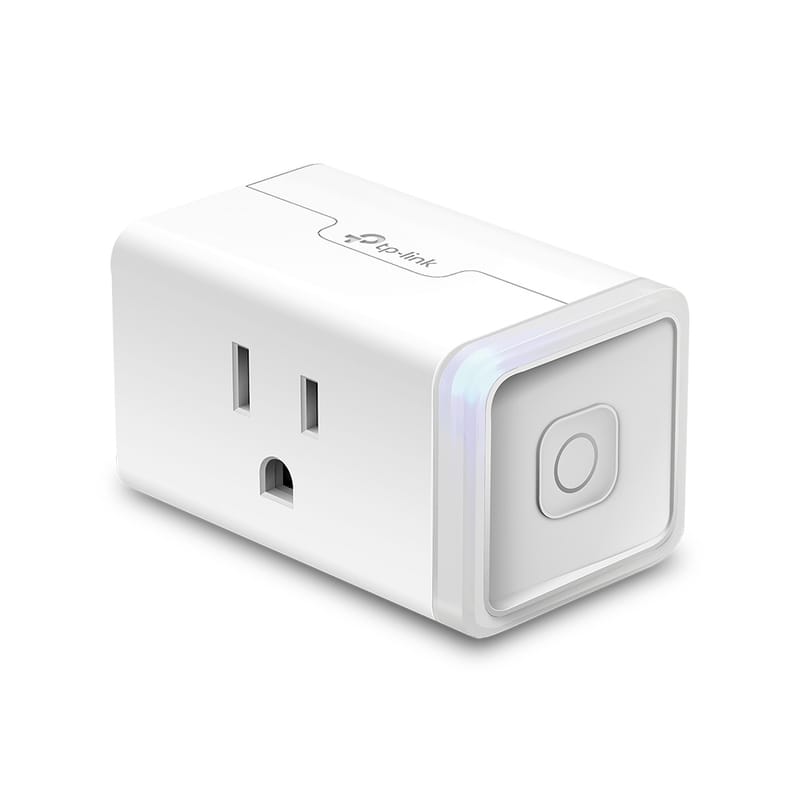
TP-Link Kasa KP125M (4-pack)
Four Matter smart plugs with energy monitoring that move out with you.
- Matter over Wi-Fi (2.4 GHz), no hub required
- Energy monitoring in the Kasa app
- 15 A / 1800 W max load
- Works with Apple Home, Alexa, Google Home
~$40–50 (check current)
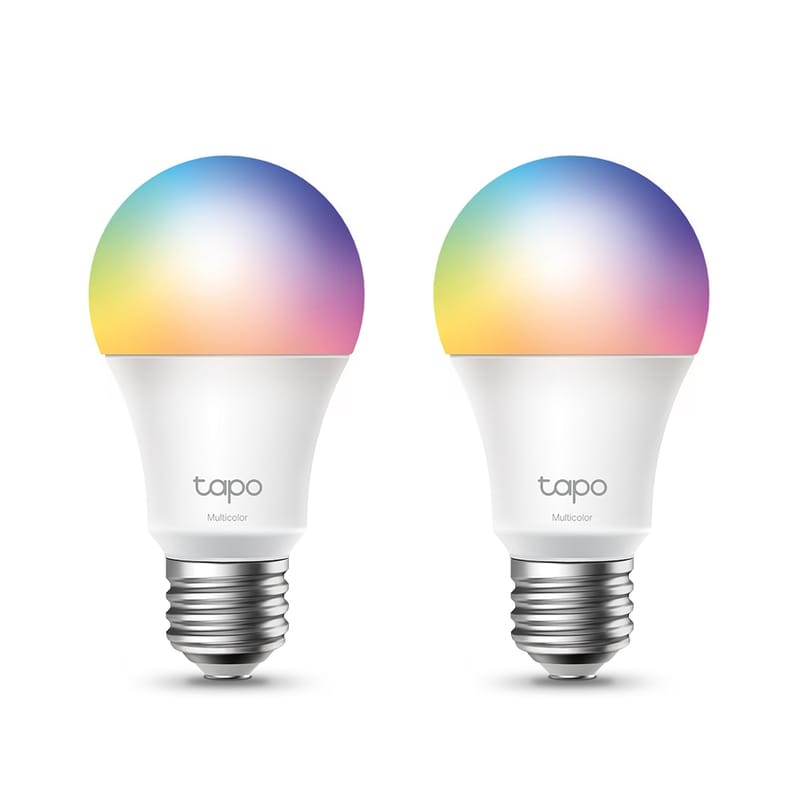
TP-Link Tapo L530E
Cheap color smart bulbs with no hub required.
- A19, 60 W equivalent, 800 lumens
- 16 million colors, dimmable 1–100%
- 2.4 GHz Wi-Fi; works with Alexa and Google Home
~$18–25 (check current)
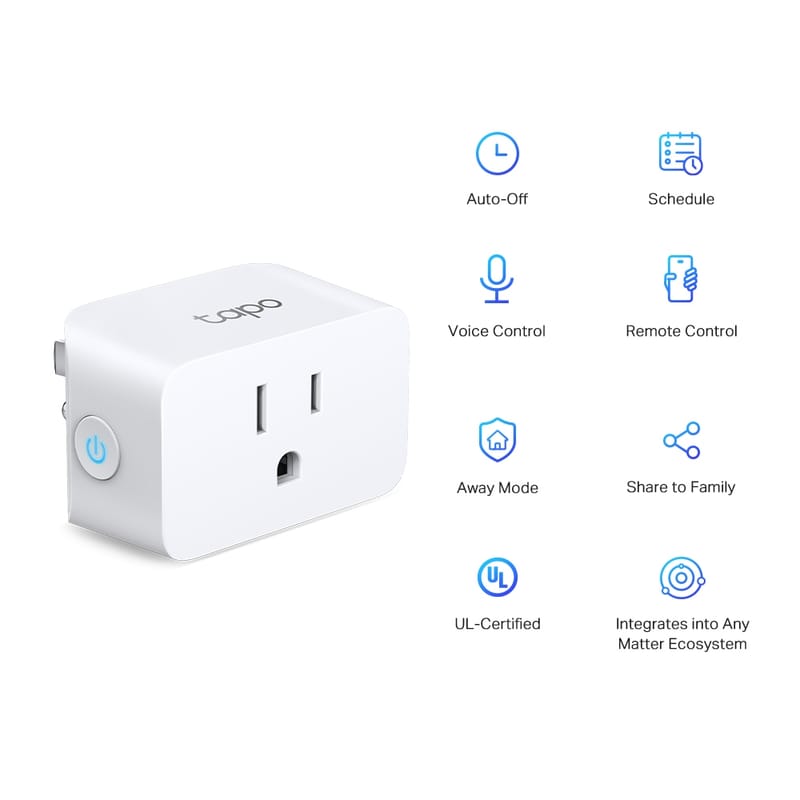
TP-Link Tapo P125M
The cheapest way to put a Matter plug in every room.
- Matter-certified, 2.4 GHz Wi-Fi, no hub
- 15 A / 1800 W max load
- Compact shape leaves the second outlet free
- Works with Apple Home, Alexa, Google, SmartThings
~$10–15 (check current)
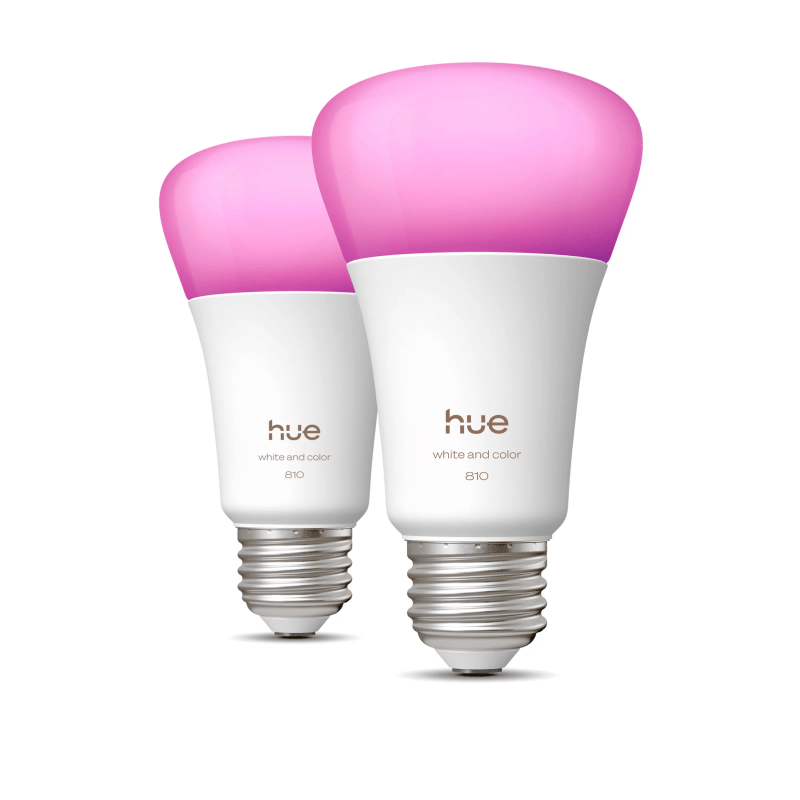
Philips Hue White & Color Ambiance A19 (2-pack)
The premium color bulbs, worth it when lighting is your main upgrade.
- 800 lm, 60 W equivalent, E26
- 16 million colors plus warm-to-cool white
- Bluetooth control with no hub; Hue Bridge optional
- Works with Alexa and Google over Bluetooth; Apple Home needs the Bridge
~$70–100 (check current)
Where the alternates fit: the Tapo P125M is the KP125M minus energy monitoring — pick it when you’re outfitting several rooms and just want reliable Matter on/off at the lowest price. The Hue 2-pack is for the opposite case: lighting is the upgrade, and you want the best color quality and scene control in the room you actually live in. Hue’s Bluetooth mode works hub-free with Alexa and Google; add the Hue Bridge later if you want Apple Home or Matter.
The one-question decision
Do you want the device controlled, or the light quality controlled? A plug turns anything plugged into it on and off — lamps, fans, holiday lights. A bulb changes what the light itself does — brightness, warmth, color. If the answer is “just make the lamp turn on at sunset,” a plug is cheaper and moves between devices.
Smart plug vs smart bulb by situation
| Situation | Better pick | Why | Watch out for |
|---|---|---|---|
| Lamp on a schedule | Smart plug | On/off is all you need, and the plug can move to a fan later | Lamp switch must stay in the on position |
| Dimming or warm-to-cool light | Smart bulb | Plugs cannot dim; bulbs dim 1–100% in the app | Existing dimmer switches conflict with smart bulbs |
| Color scenes for movies or bias lighting | Smart bulb | Full color control per bulb | Wall switch turned off makes the bulb unreachable |
| Fan, humidifier, or holiday lights | Smart plug | Bulbs cannot switch appliances | Stay within the plug load rating |
| Shared apartment with switch-flippers | Smart plug | A flipped wall switch strands a smart bulb, not a plugged lamp on its own switch | Label the plug so nobody unplugs it |
The wall-switch problem
A smart bulb only responds while it has power. If anyone flips the wall switch off, the bulb drops offline until the switch comes back on — the most common reason renters return smart bulbs. Smart plugs sidestep this: the lamp’s own switch stays on, and the plug handles everything. In shared apartments, that difference matters more than any spec.
Also skip smart bulbs in fixtures wired to a dimmer switch. Wall dimmers chop the power the bulb needs for its own electronics; TP-Link recommends full-power sockets only.
Why not both?
Plenty of renters end up with a plug on the living-room lamp and bulbs in the bedroom. Both products here run on 2.4 GHz Wi-Fi with no hub, share the ecosystems (Alexa, Google Home), and move out with you in a box. Start with the plug, add bulbs where light quality matters.
Sources checked
- Kasa KP125M smart plug official page
- TP-Link Tapo L530E official page
- TP-Link Tapo P125M official page
- Philips Hue White & Color Ambiance A19 2-pack official page
FAQ
Do smart plugs work with any lamp?
Any lamp with a mechanical on/off switch that can stay in the on position. Lamps with touch controls or built-in electronic switches may not turn back on when the plug restores power.
Can I use a smart bulb with a dimmer switch?
No. Wall dimmers deliver partial power that interferes with the bulb’s electronics. Use smart bulbs in full-power sockets and dim through the app instead.
Do these need a hub?
Neither does. The Kasa KP125M and Tapo L530E both connect straight to 2.4 GHz Wi-Fi and work with Alexa and Google Home.